JavaScript is single-threaded: it runs one piece of your code at a time. So how does asynchronous programming work? When you await a network request, execution does not freeze on that line forever — other code can run while you wait. That coordination is the event loop.
The event loop decides the flow of JavaScript in browsers and in Node.js. It schedules work, runs asynchronous callbacks, and keeps the runtime non-blocking.
How the event loop works
At a high level it is an endless loop: wait for tasks, run them, sleep, wait again.
The engine:
- Executes tasks, oldest first
- Sleeps until more work arrives
Tasks run on the call stack — one frame at a time.
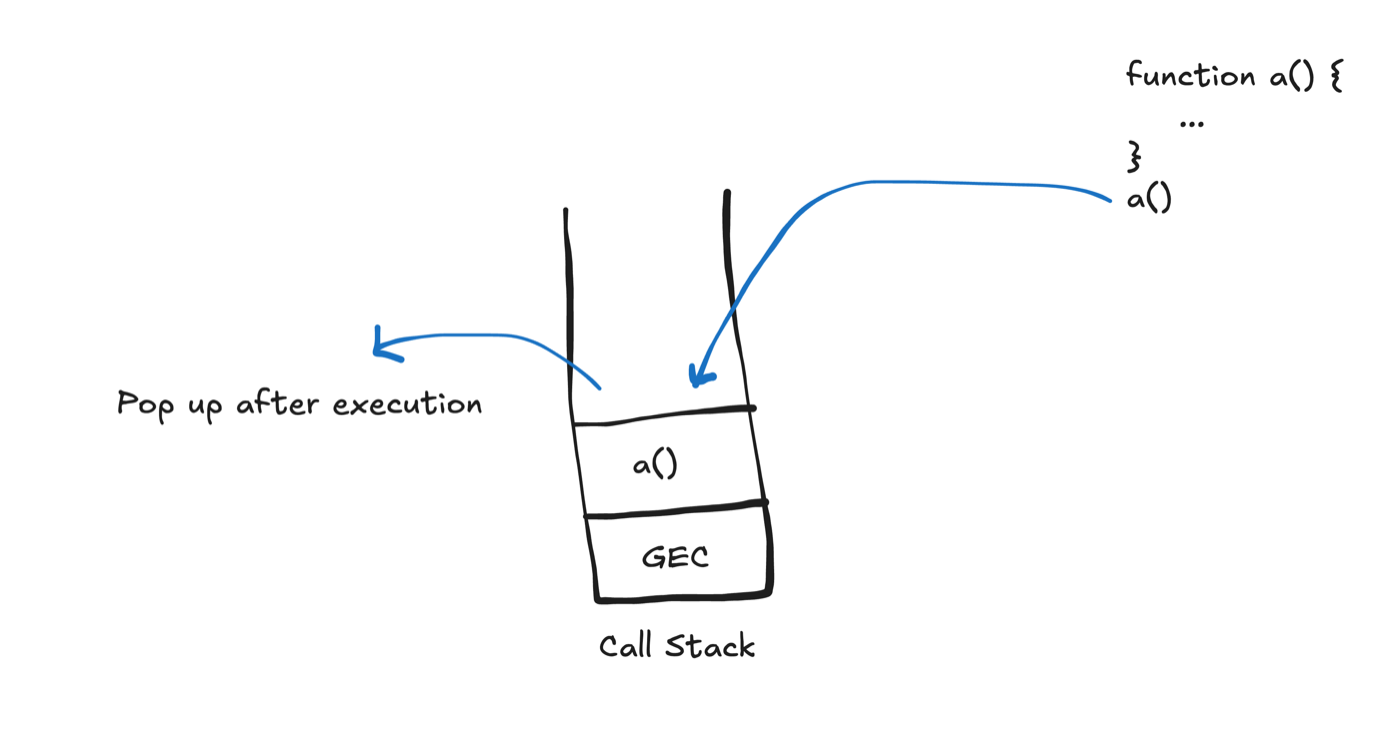
Before your script runs, the global execution context (GEC) is set up: the default environment with global scope, variables, functions, and objects.
Code enters the call stack, runs, is popped off, and the engine waits for the next task.
Synchronous vs asynchronous work
Synchronous work (plain function calls, many console.logs, simple handlers) goes straight onto the call stack and runs immediately.
Asynchronous work (e.g. Promises, MutationObserver) is queued first — often described as a task queue — and only later moves to the call stack when it is free.
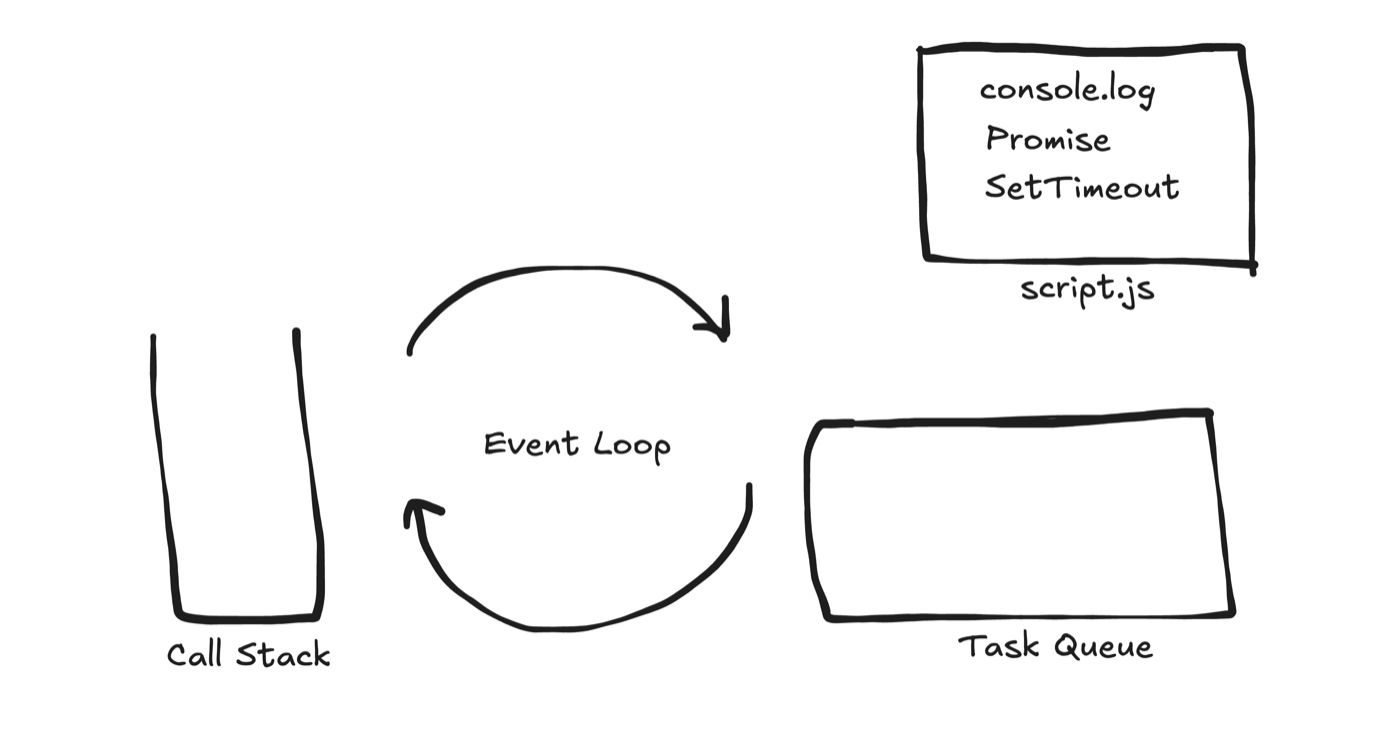
Web APIs
Web APIs are browser (or host) features JavaScript can call. When you write:
console.log("hello");the engine puts that work on the call stack; logging is handled via the host environment and shows up in the console. The same idea covers DOM APIs, HTTP (fetch), timers, animations, and more — see Web APIs on MDN.
Putting it together
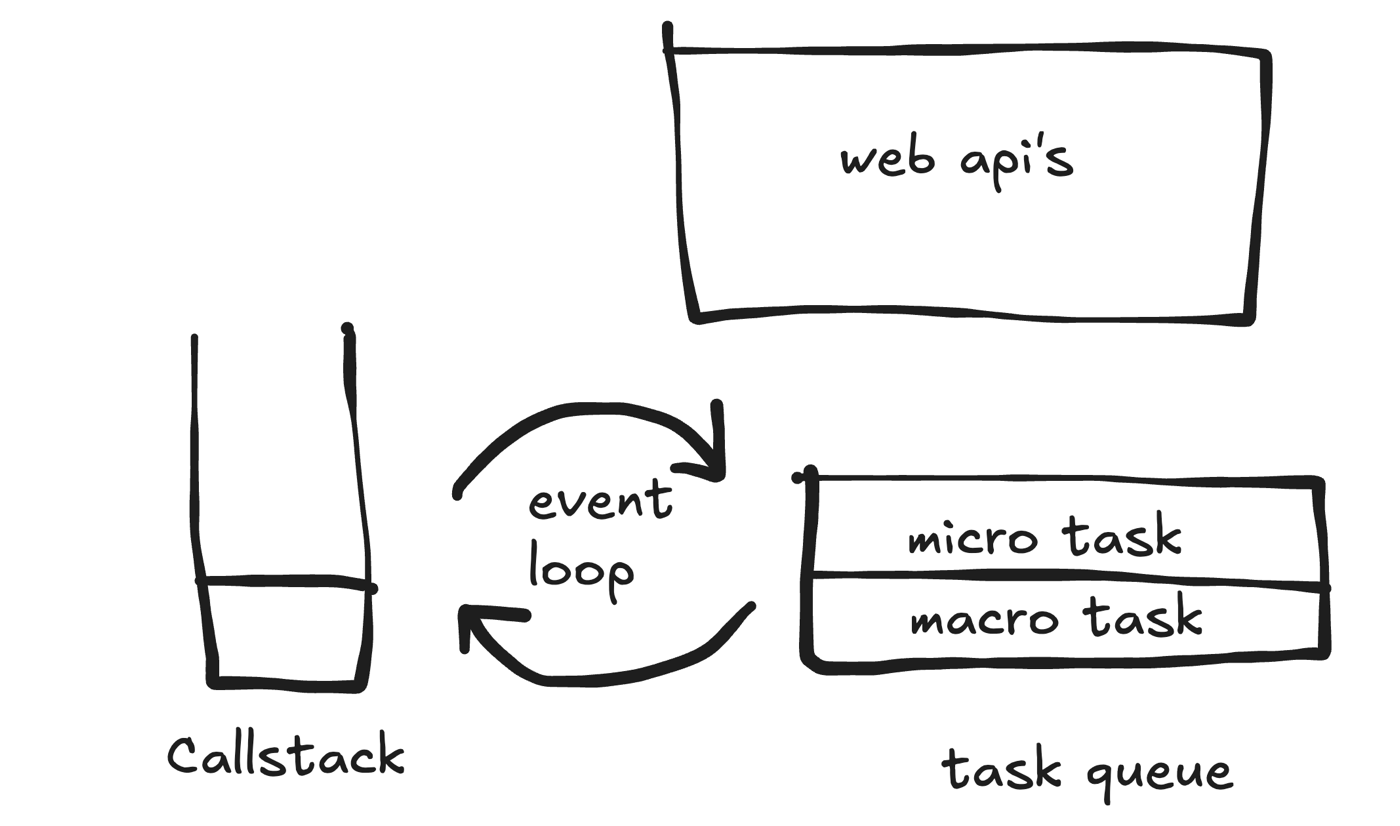
Your script can mix synchronous code, asynchronous code, and Web API calls. The “task queue” is usefully split into:
- Microtask queue — e.g.
Promise.then/catch/finally,MutationObserver,queueMicrotask - Macrotask queue — e.g.
setTimeoutcallbacks, many UI events
Order of play (simplified):
- Drain the microtask queue fully
- Run one macrotask
- Drain microtasks again
- Repeat
Even setTimeout is a Web API: after the delay, the host enqueues its callback as a macrotask.
What is the output of this code?
console.log(1);
setTimeout(() => console.log(2));
Promise.resolve().then(() => console.log(3));
setTimeout(() => console.log(4), 5000);
console.log(5);
Step by step
1. console.log(1) — synchronous; runs immediately.
console.log(1);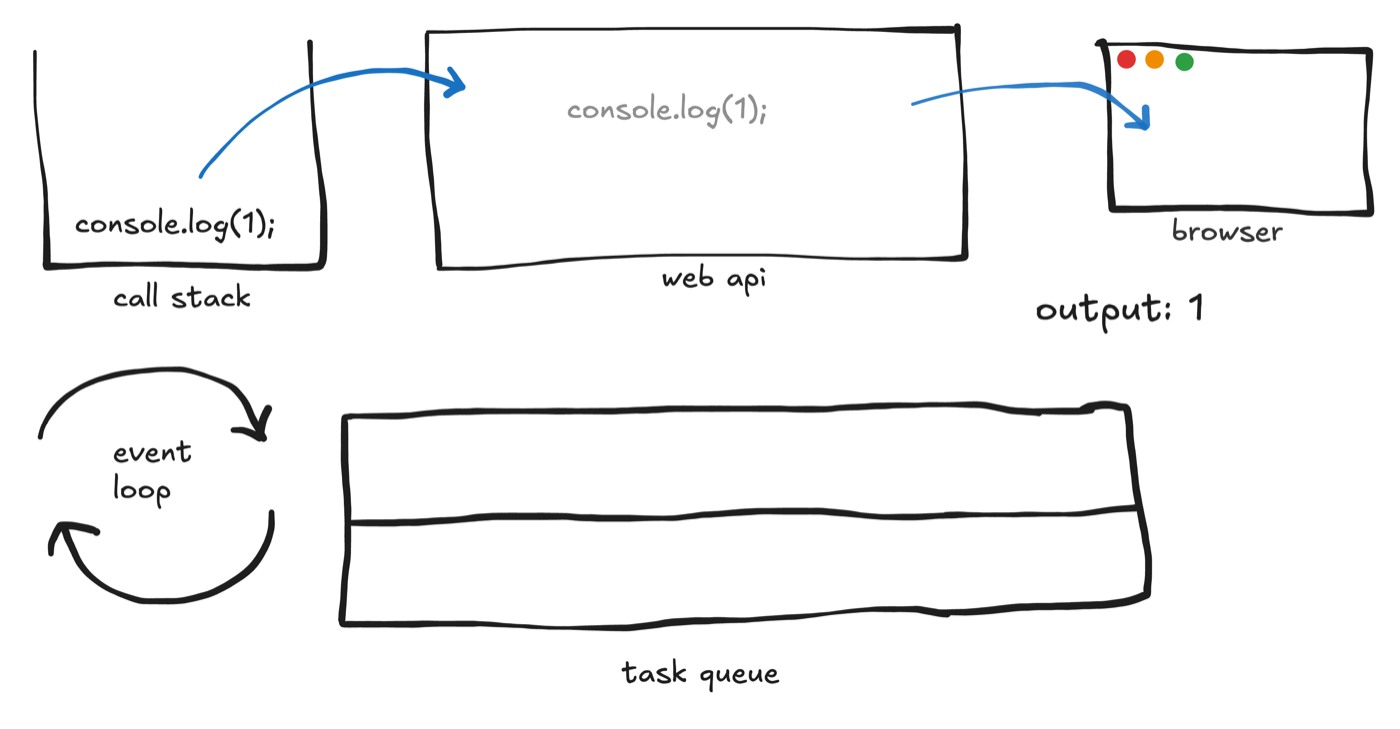
2. setTimeout(() => console.log(2)) — registered with the Web API (delay 0); its callback is later queued as a macrotask.
setTimeout(() => console.log(2));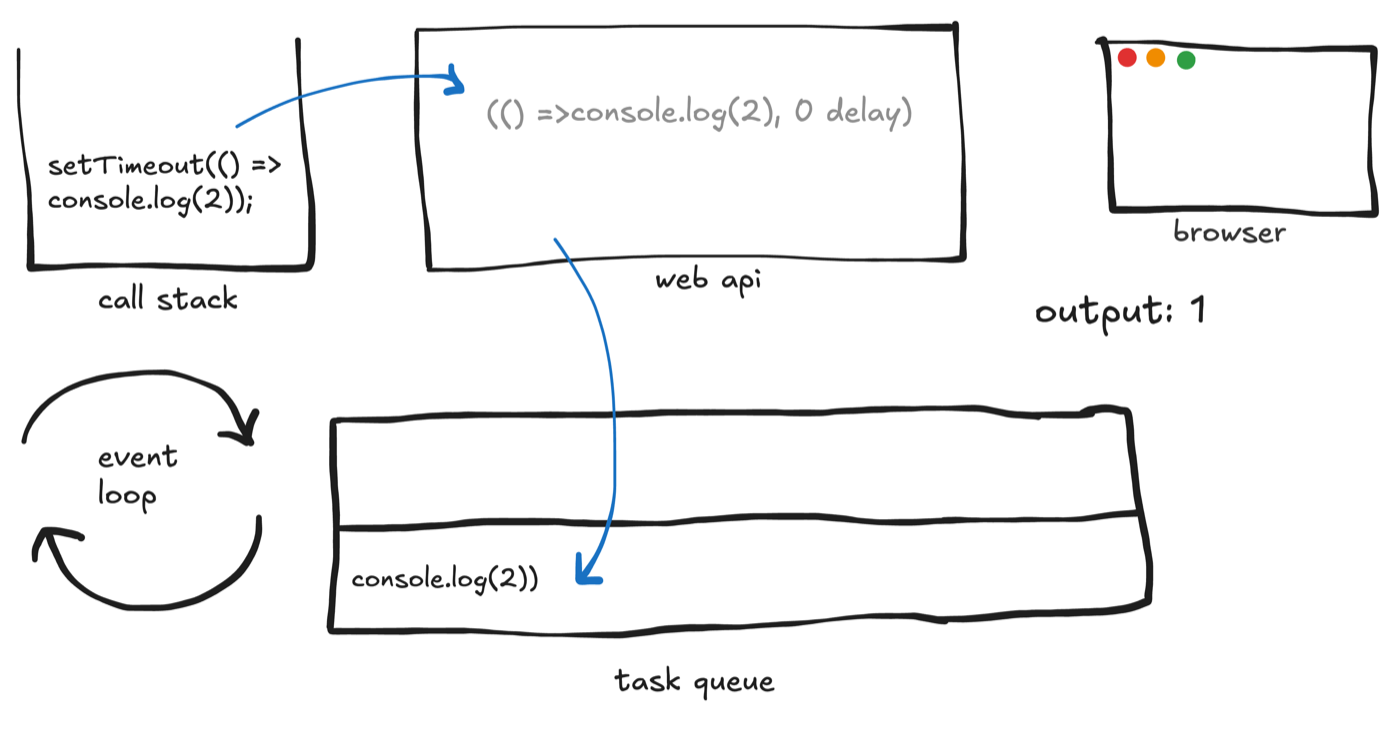
3. Promise.resolve().then(() => console.log(3)) — the promise resolves and the .then callback is queued as a microtask.
Promise.resolve().then(() => console.log(3));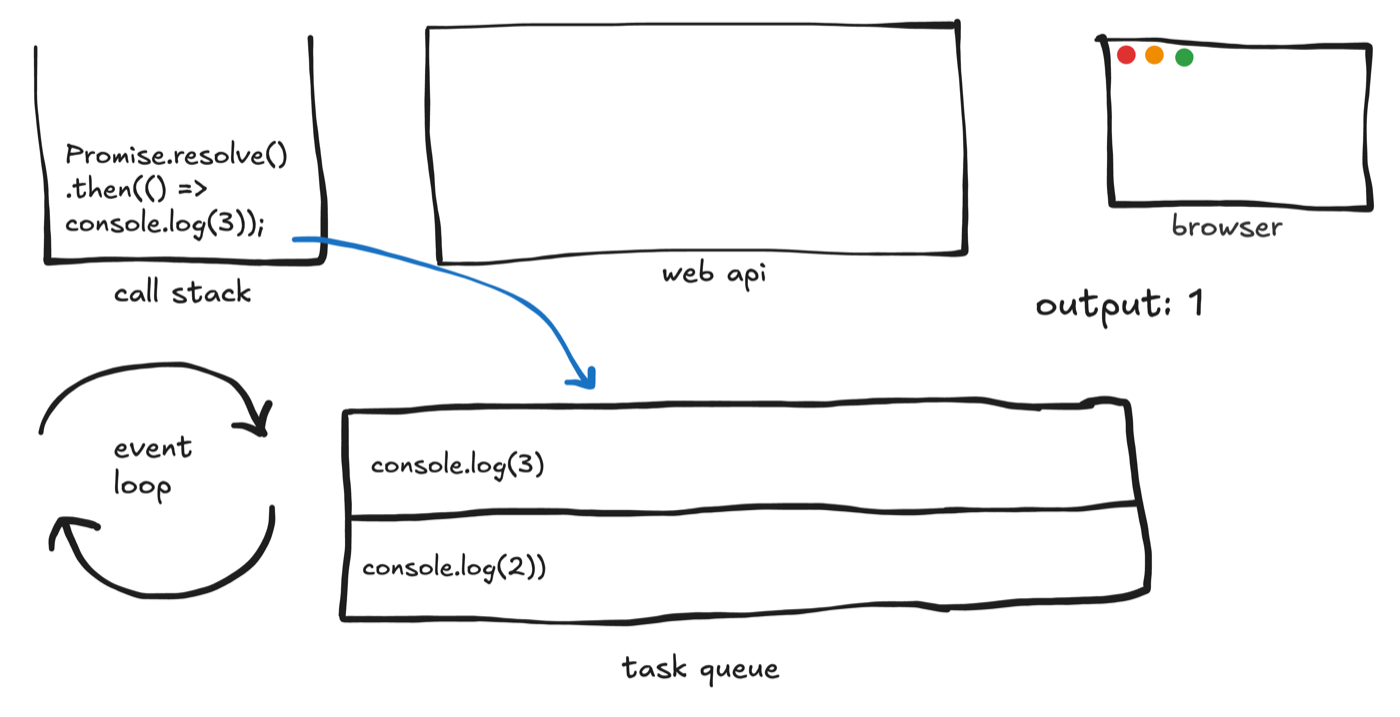
4. setTimeout(() => console.log(4), 5000) — another timer; after 5 seconds its callback becomes a macrotask.
setTimeout(() => console.log(4), 5000);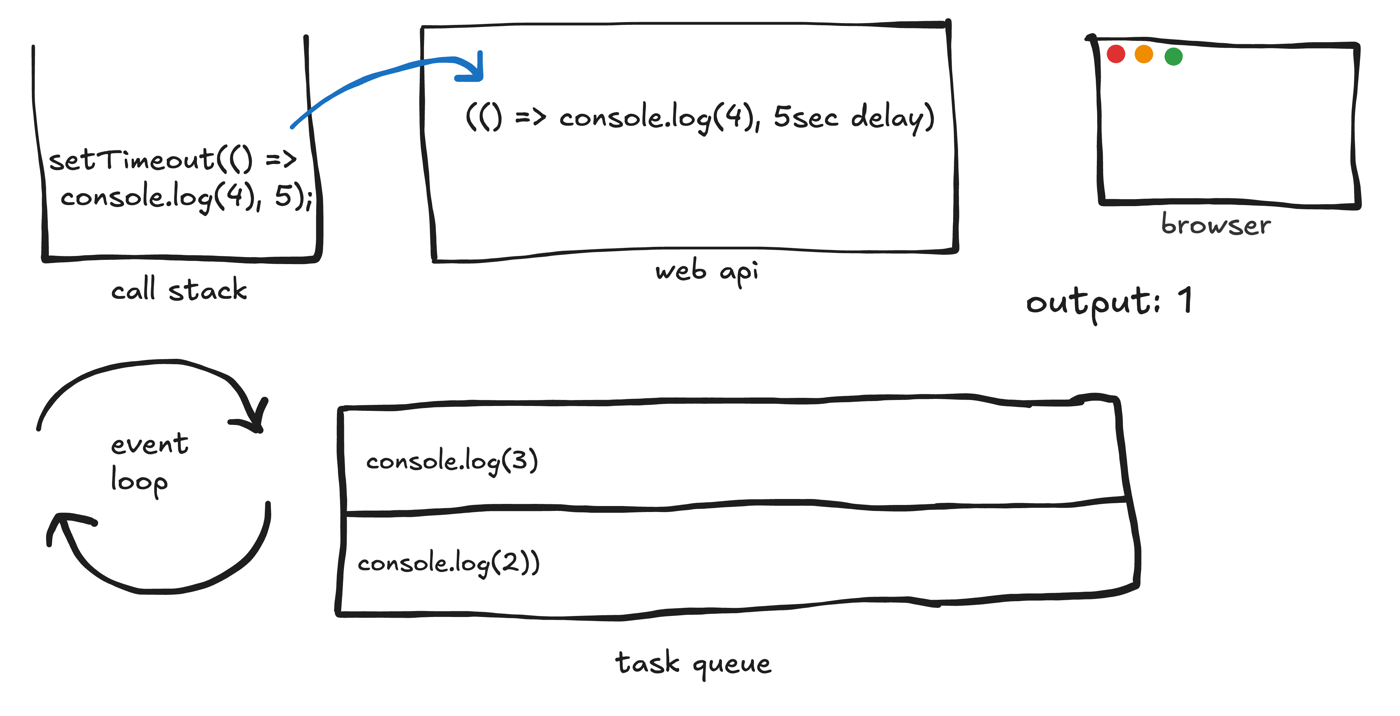
5. console.log(5) — synchronous again; runs now.
console.log(5);At this point the console shows 1, 5.
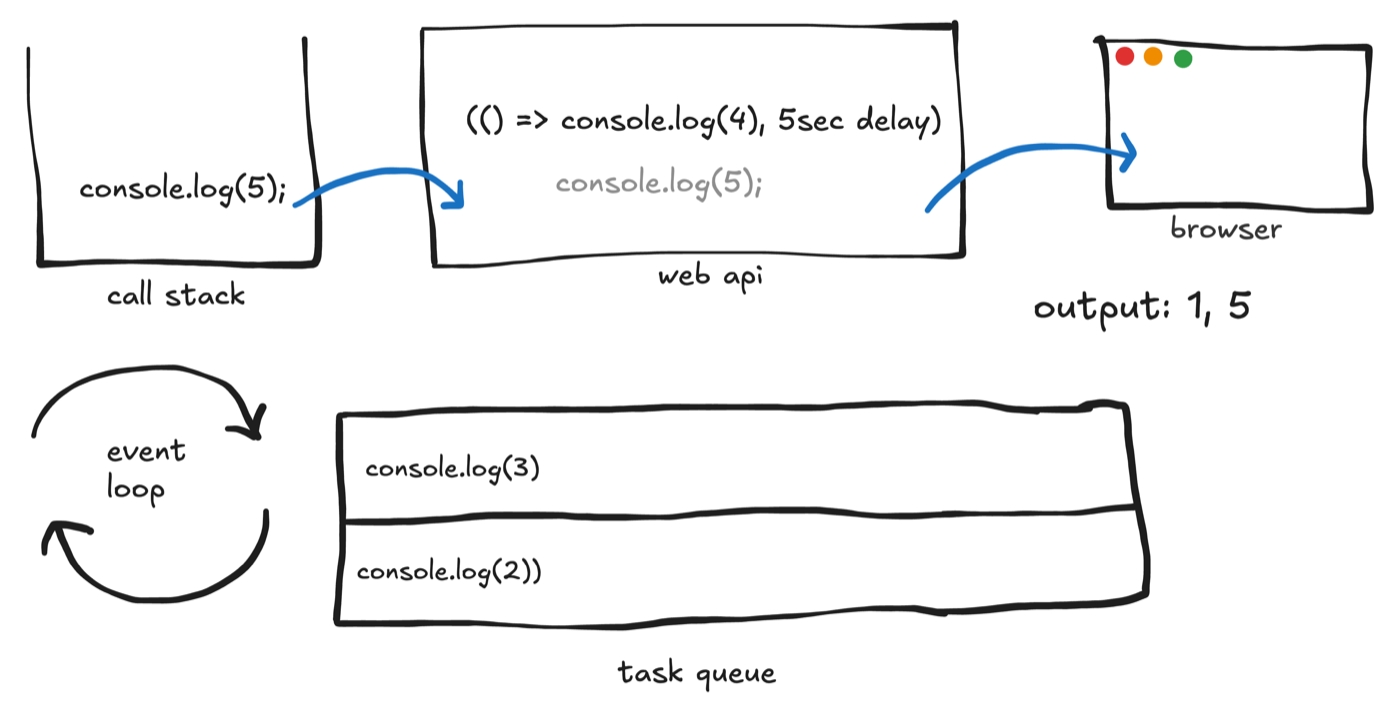
The call stack is empty, so queues are processed. Microtasks first: log 3. Output: 1, 5, 3.
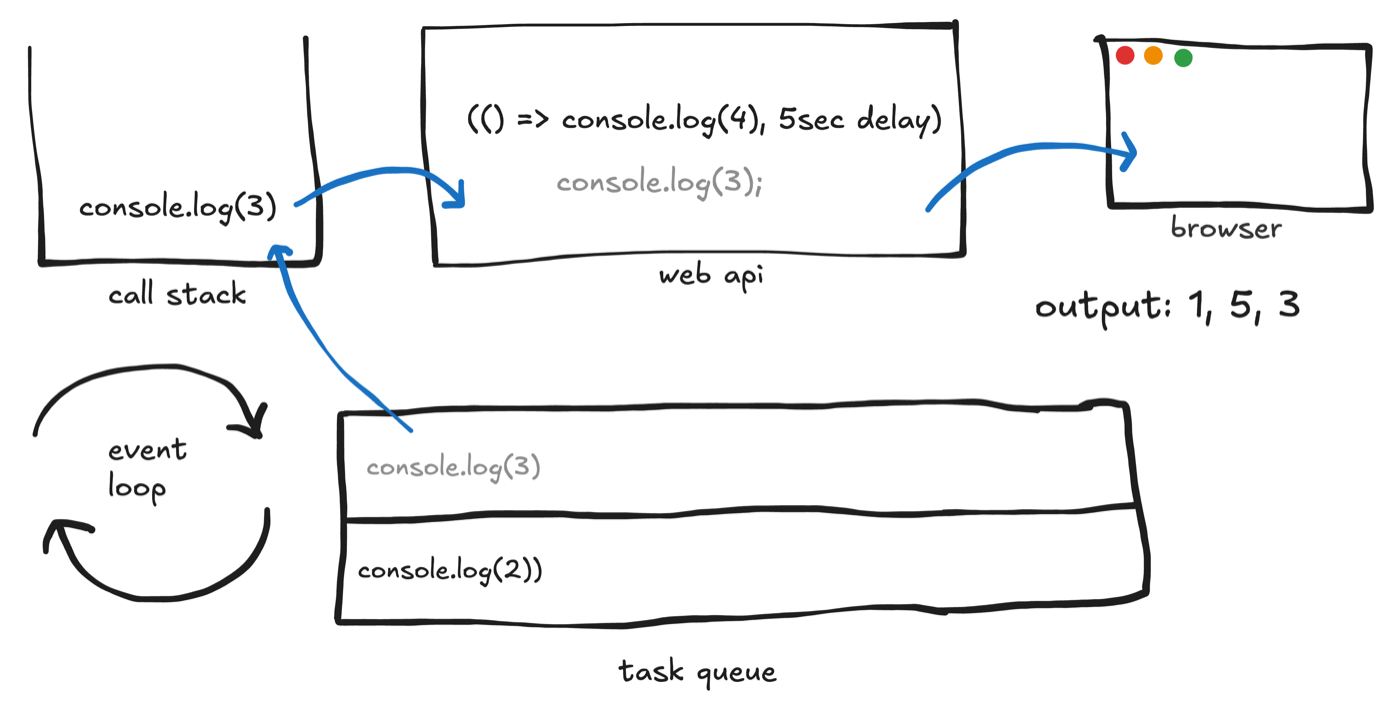
Microtask queue empty → next macrotask: log 2. Output: 1, 5, 3, 2.
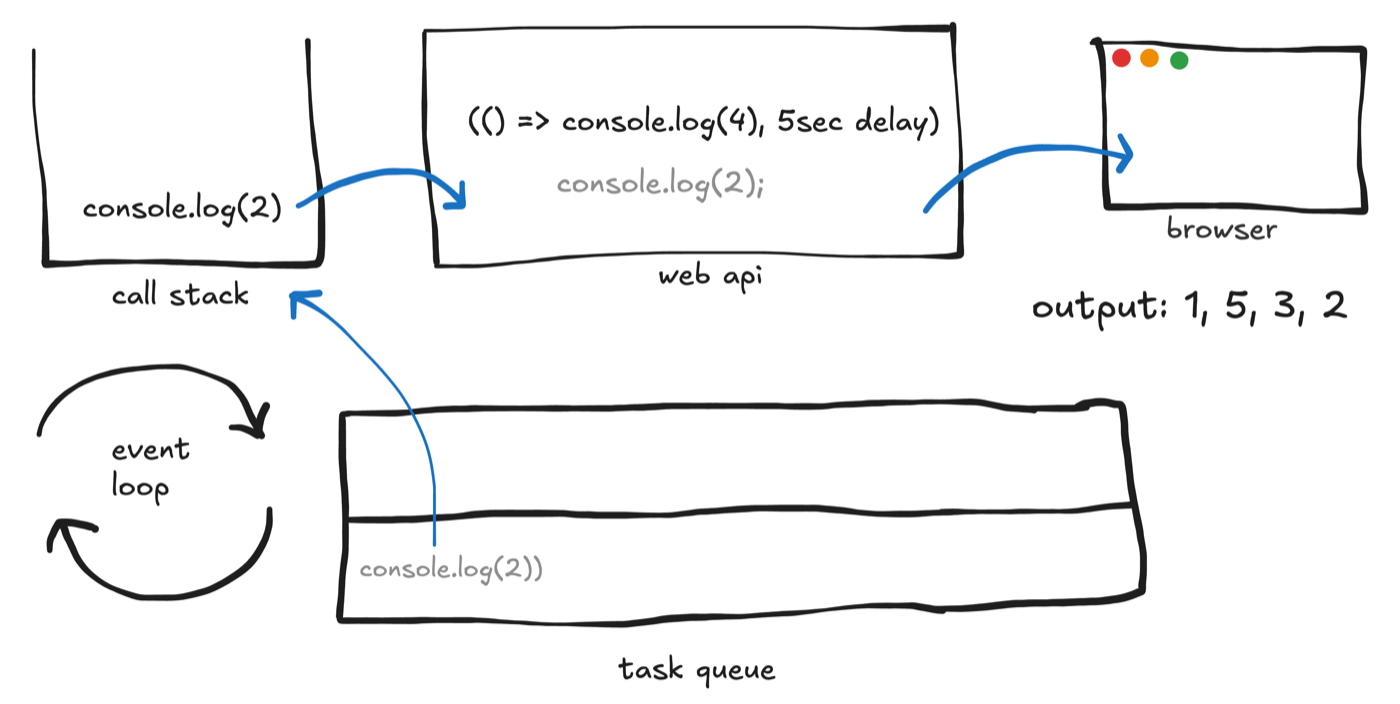
After five seconds, the second timer’s callback enters the macrotask queue.
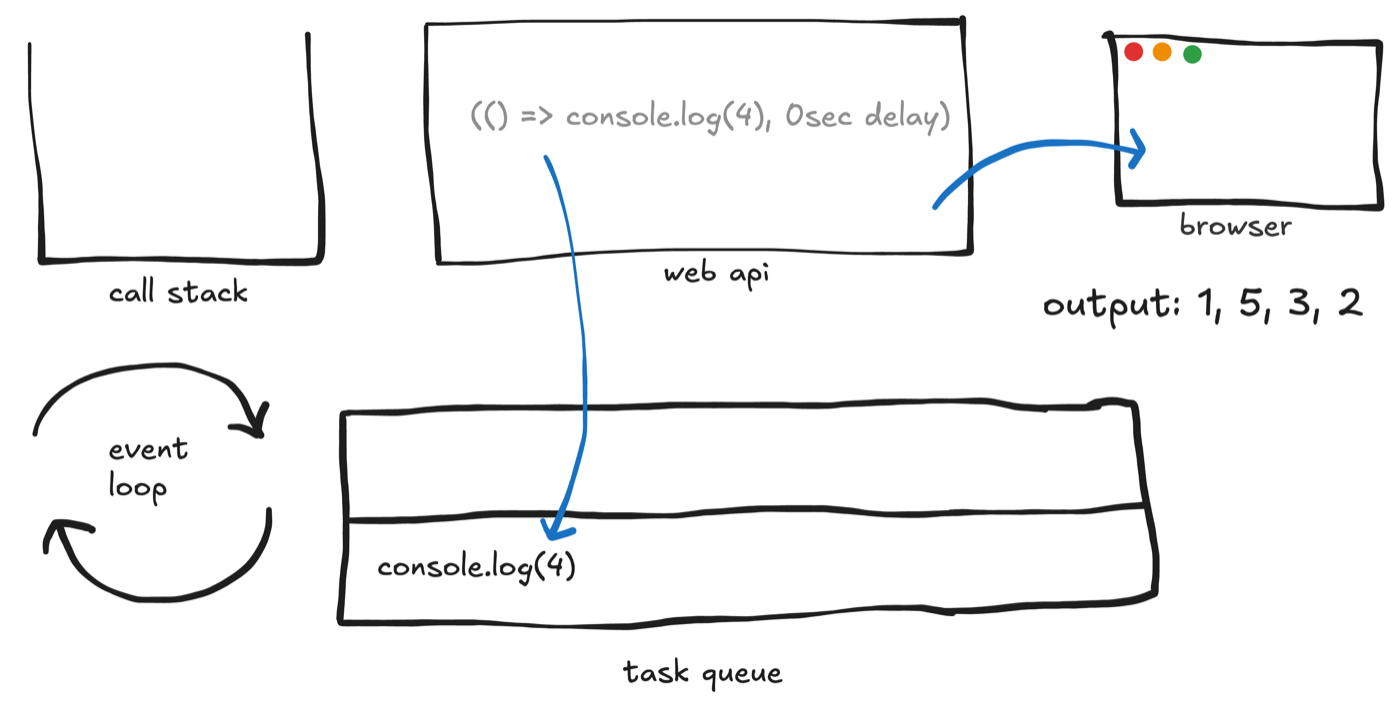
With microtasks empty, that macrotask runs: log 4. Final output:
1, 5, 3, 2, 4
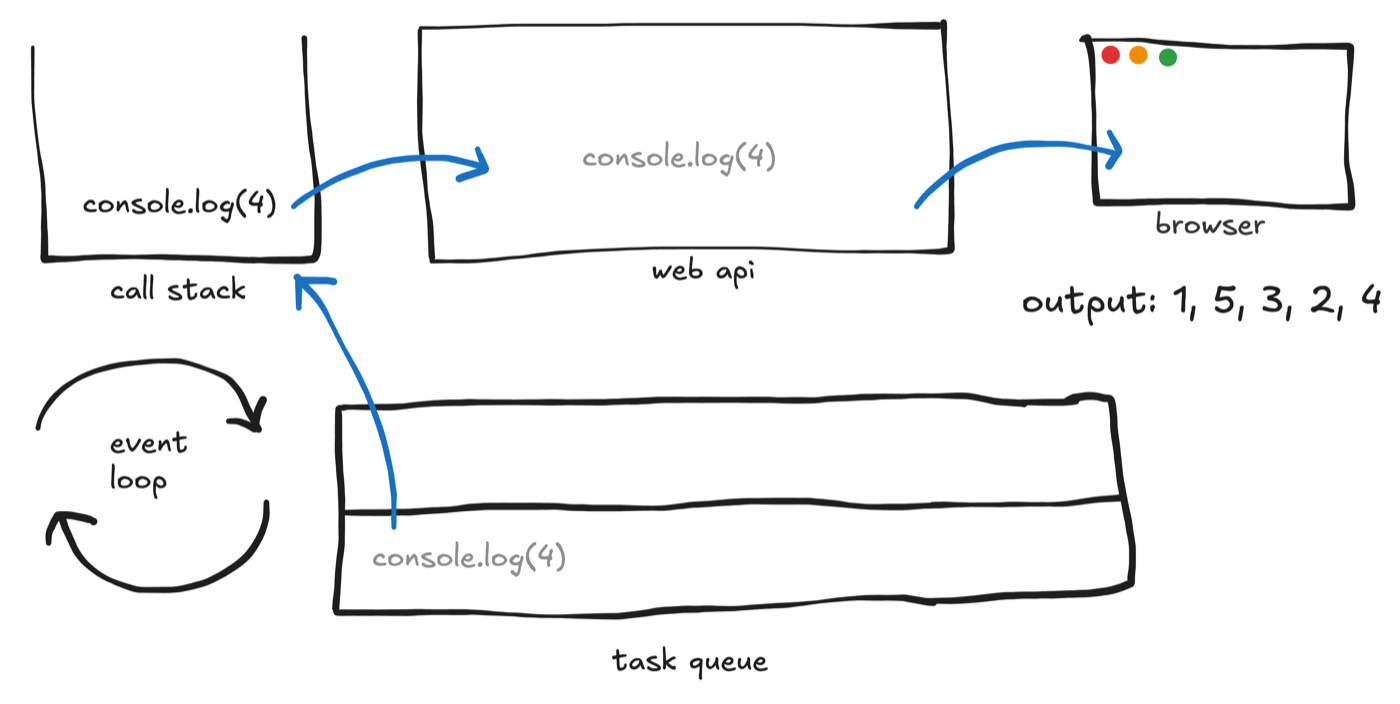
Takeaway
Single-threaded does not mean “only one thing can ever be in flight.” The event loop, Web APIs, and micro/macrotask queues let JavaScript stay responsive while async work completes in the background. Knowing the order — sync first, then microtasks, then macrotasks — makes promise and timer behavior much easier to reason about.